
When organizations see what modern AI systems can do, the first reaction is often predictable: if a task can be automated, why not automate it? The problem is that “can” and “should” are very different questions. A workflow may be technically easy to automate while still carrying too much operational, financial, reputational, or human risk.
A better approach is to treat automation as a spectrum rather than a switch. Some tasks are well suited to rules and software automation. Others benefit from AI assistance but still need a person to review the result. Some decisions are better kept under meaningful human oversight because they involve sensitive relationships, significant consequences, or responsibilities that an organization is not prepared to delegate.
The challenge is building a consistent way to tell these cases apart.
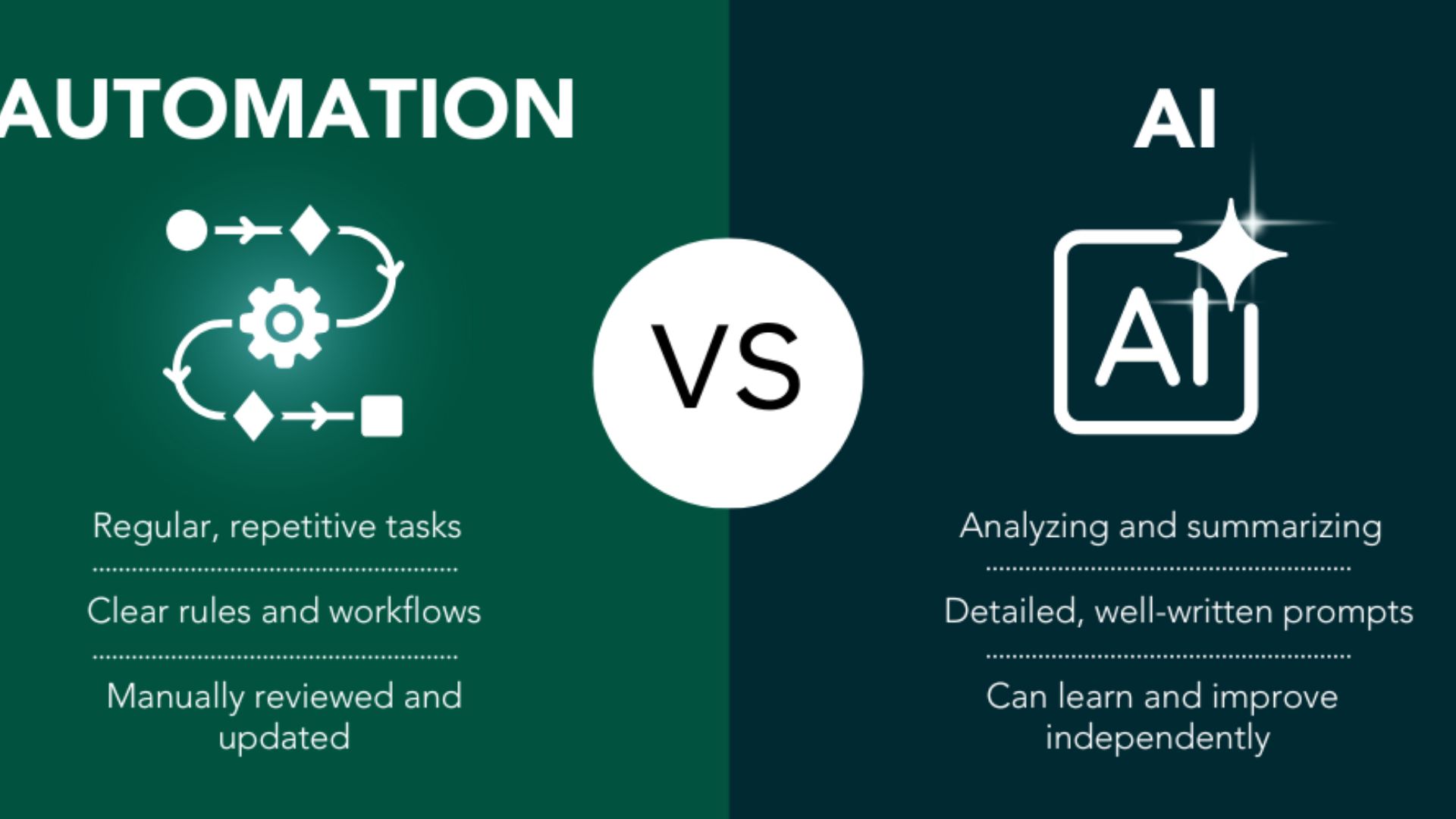
A useful starting point is to divide tasks into three broad categories: fully automated, AI-assisted, and human-led. These categories are not permanent labels. A task can move from one category to another as technology, processes, data quality, and organizational requirements change.
This category is best suited to tasks with clear inputs, repeatable rules, and relatively predictable outcomes.
Typical characteristics include high volume, well-defined data fields, stable business rules, and limited need for contextual judgment.
Examples might include extracting fields from standardized invoices, routing support tickets according to predefined criteria, synchronizing approved data between software systems, or applying predefined rules to identify information that requires review.
The key is predictability. The more clearly a task can be described as “when X happens, perform Y,” the stronger the case for conventional automation.
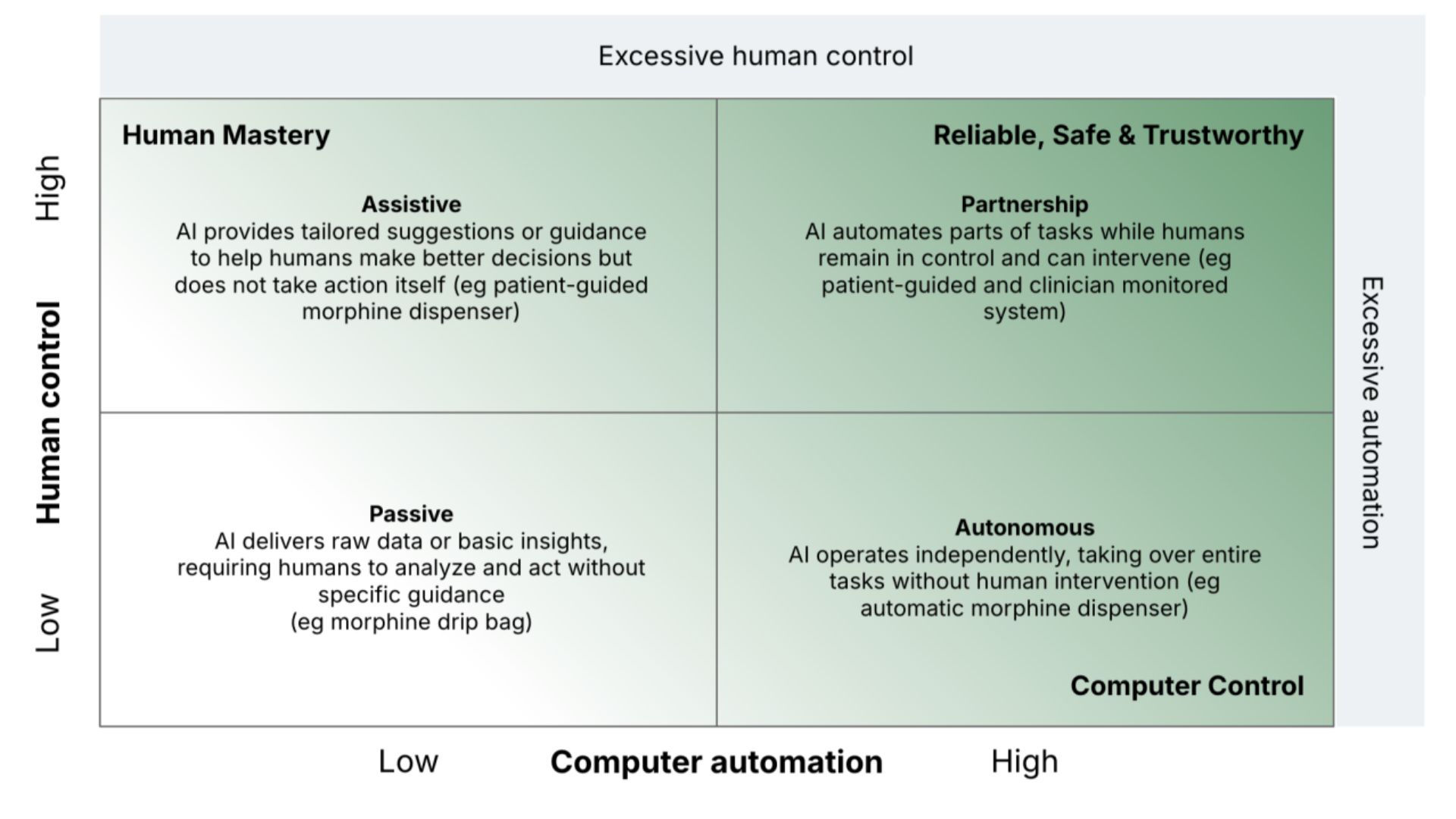
Some work is too flexible for rigid rules but still contains portions that AI can handle efficiently. In these cases, AI works better as an assistant than as the final decision-maker.
Examples include preparing a first draft of a business document, summarizing a long customer conversation, organizing information from several internal sources, or turning project notes into a preliminary status report.
The employee remains responsible for reviewing the result, correcting errors, and deciding whether the output is suitable for the intended use.
This model is especially useful when the cost of producing a first draft is high but the cost of reviewing a draft is manageable.
Some workflows involve personal relationships, ethical judgment, organizational accountability, or consequences that make human oversight particularly important.
Examples can include sensitive employee conversations, individualized decisions in healthcare or financial services, major partnership negotiations, and disputes involving ambiguous ethical or organizational questions.
AI can still assist around the edges. It might organize documents, summarize background information, or prepare a draft. The important distinction is that the system is supporting the process rather than quietly making the consequential decision itself.
A simple two-dimensional model can help organizations begin classifying tasks, but risk and repeatability are not enough on their own.
A recurring task may be highly repetitive yet still require approval because a mistake would have serious consequences. Conversely, an unusual task may be low risk and easy to automate if the inputs and desired outcome are clear.
Three questions provide a more useful starting point:
How costly is failure? A mistake that merely requires a correction is very different from one that could expose confidential information, disrupt a critical operation, or create substantial financial or compliance consequences.
How repeatable is the process? Repetitive workflows are generally stronger automation candidates because the organization can define the process, measure performance, and monitor exceptions over time.
Who needs to remain accountable? Some workflows require a designated person to review or approve the final result because of organizational policy, professional responsibilities, contractual requirements, or applicable rules.
These factors can be considered together rather than treated as a rigid scoring formula.
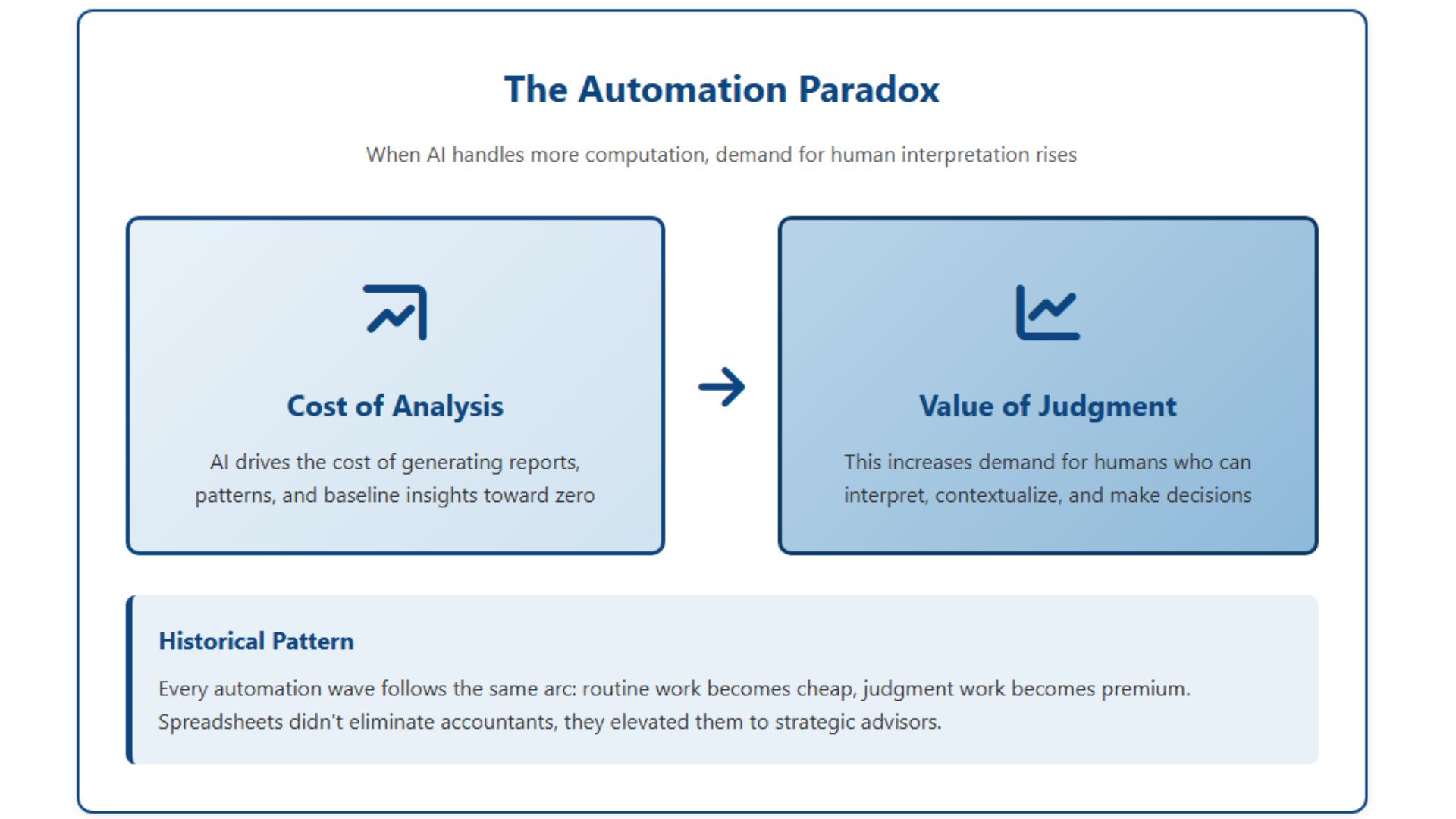
Every automation project has failure modes. The important question is what those failures look like.
If an incorrect result can be detected and corrected easily, greater automation may be reasonable. If the error could remain hidden or create significant consequences, the workflow should include stronger validation and human review.
Structured data is generally easier to automate than ambiguous conversation or incomplete documentation.
A standardized invoice, for example, provides predictable fields. A customer complaint may contain incomplete information, sarcasm, emotional language, or several issues mixed together. The second case requires more interpretation.
This does not mean unstructured work cannot benefit from AI. It simply means the review process needs to account for the uncertainty.
Automation should not remove accountability simply because a machine is capable of performing the underlying action.
Where organizational policy or applicable requirements call for accountable human approval, that approval should remain explicit rather than being hidden inside an automated workflow.
This is particularly important for decisions involving employees, customers, financial records, sensitive information, or other consequential outcomes.
Automation has a cost. There may be integration work, testing, monitoring, maintenance, security reviews, and ongoing exception handling.
Building a sophisticated pipeline for a task that happens a few times a year may not make economic sense. A repetitive workflow that consumes substantial staff time is a much stronger candidate.
The right comparison is therefore not simply “manual versus automated.” It is the total cost and operational value of each approach.
Automation can reduce repetitive labor, but it does not automatically reduce total operating costs.
A sophisticated AI workflow may require model monitoring, data preparation, integration maintenance, quality checks, human review, and exception handling. For a highly variable process, those costs can eventually outweigh the savings from automation.
The useful measure is total cost of ownership rather than the price of the software alone.
AI-generated text can sound polished even when the underlying information is incomplete or incorrect. That makes review especially important for workflows where accuracy matters.
A well-written answer is not necessarily a verified answer.
Organizations should therefore separate language quality from factual or operational reliability. A system can be excellent at producing readable drafts while still requiring human validation before those drafts are used in consequential settings.
Many automation projects work well on the easy cases and struggle with everything else.
For example, a system may process routine requests efficiently while sending unusual cases into a manual queue. If the exception queue grows large enough, the organization may simply have moved the workload rather than eliminated it.
Exception rates should therefore be measured from the beginning.
An automation decision model becomes useful when it changes how projects are evaluated before implementation.
Break a job or business process into individual tasks rather than treating the entire role as one unit.
A legal operations workflow, for instance, may include document classification, formatting, information retrieval, first-pass comparison, substantive review, negotiation, and final approval. Those tasks do not necessarily belong in the same automation category.
Evaluate each task according to its frequency, input structure, potential failure cost, and need for human judgment.
The goal is not to force every task into a permanent category. It is to identify the appropriate level of automation for the current operating environment.
For AI-assisted processes, specify exactly where human review occurs.
“Human oversight” is too vague to be useful. The workflow should identify who reviews the output, what they are expected to verify, and what happens when the result does not meet the required standard.
An automation system that performs well on routine cases but creates significant manual rework may not be delivering the expected benefit.
Track rejected outputs, manual overrides, correction time, escalation rates, and other signals that reveal where the automated process breaks down.
Automation decisions should not be treated as permanent.
Models improve. Business processes change. Data becomes cleaner. New controls become available. A task that required extensive human assistance a year ago may eventually become a better candidate for automation.
The reverse can also happen. A change in regulation, business risk, or customer expectations may require additional human involvement.
For each candidate task, organizations can ask:
Low consequence + high repeatability + structured inputs:
Consider full automation.
Moderate consequence + variable inputs + useful AI capability:
Consider AI assistance with defined human review.
High consequence + significant judgment or accountability:
Keep the decision human-led, while using automation to support preparation and administration where appropriate.
This is not a mathematical rule. It is a way to make automation discussions more concrete and consistent.
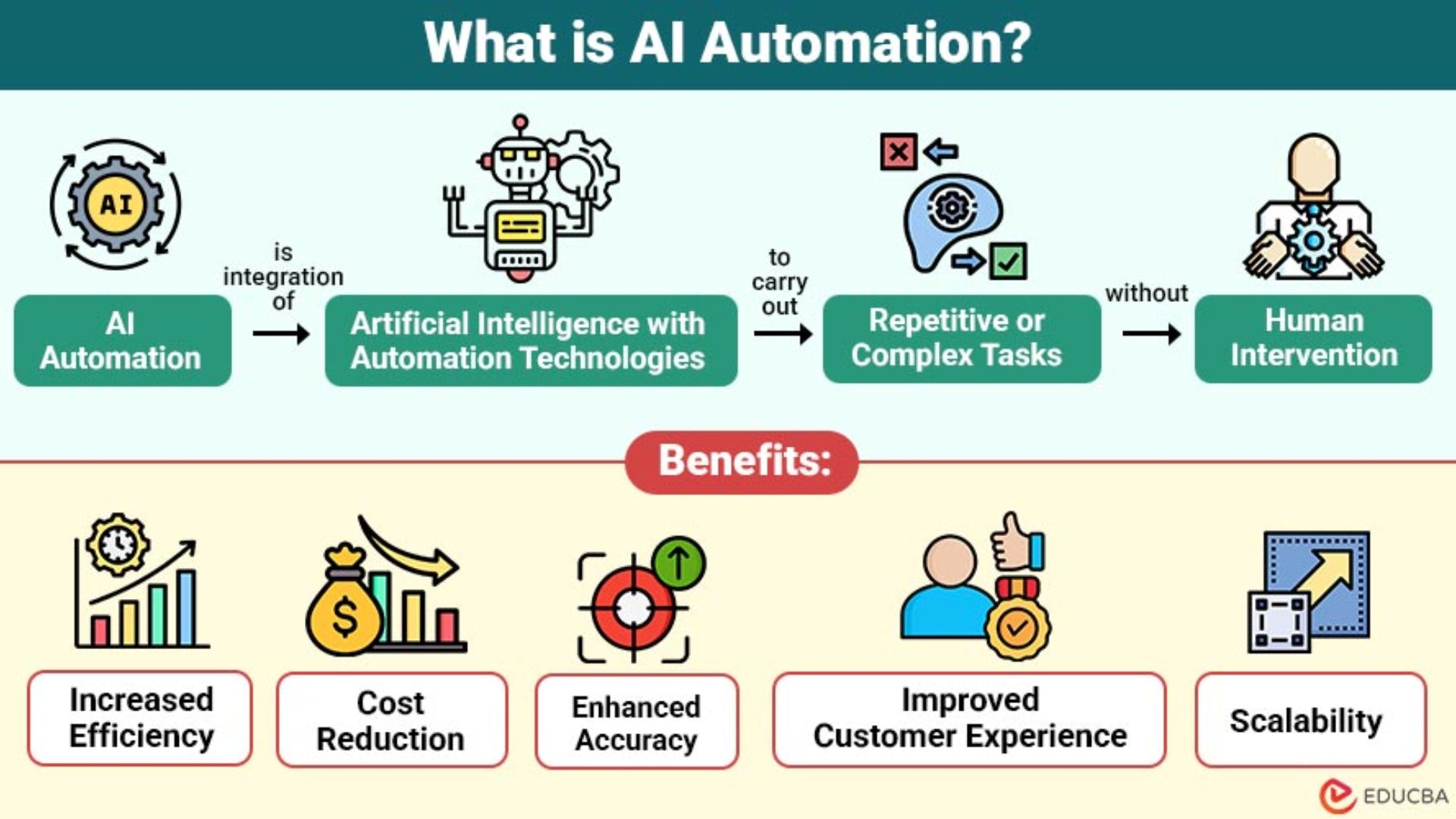
The best automation strategy is rarely the one that removes the most people from a workflow. It is the one that places technology where it creates useful leverage without weakening quality, accountability, or trust.
Repetitive and predictable tasks are often strong candidates for automation. More flexible work can benefit from AI assistance when people remain responsible for reviewing and interpreting the output. Sensitive or consequential decisions may require a much stronger human role.
By evaluating risk, repeatability, input structure, accountability, and the cost of failure before building an automated workflow, organizations can make better technology decisions—and avoid automating a problem simply because the software makes it possible.